SIASUN Mobile Robot Layout Planner Tools (Mobile Robot Layout Planner Tools)
In stock
- BRAND:
- SIASUN
- MODEL:
- Mobile Robot Layout Planner Tools
- PART #:
- Mobile Robot Layout Planner Tools
- ORIGIN:
- China
- Warranty:
- 12 MONTHS
- AVAILABILITY:
- SUBJECT TO AVAILABILITY
- SKU:
- SIASUN-Mobile-Robot-Layout-Planner-Tools
SIASUN Mobile Robot Layout Planner Tools (Mobile Robot Layout Planner Tools)
A robot map is a promise made on a screen and kept on a concrete floor, and the cheapest place to find a broken promise is before any vehicle moves. The SIASUN Mobile Robot Layout Planner Tools (Mobile Robot Layout Planner Tools) exist for that rehearsal: they let a team draw the routes, place the stations, fence off the forbidden areas and test the result on screen first.
The product is available through this page, by quotation.
Background
Where the tool comes from
SIASUN is a robotics brand whose mobile robots are built for factories, warehouses and production logistics. Its automated guided vehicles (AGV) and autonomous mobile robots (AMR) are managed by a software layer called IMRS, and the Mobile Robot Layout Planner Tools is a fundamental tool within that platform. The version covered here is the IMRS 2.0 Software Platform tool.
That lineage matters to a buyer. This is not a stand-alone drawing program that happens to mention robots. It is the part of the platform where the operating area is described to the fleet: where vehicles may travel, where they stop, and where they must never go.
What the tool does inside IMRS
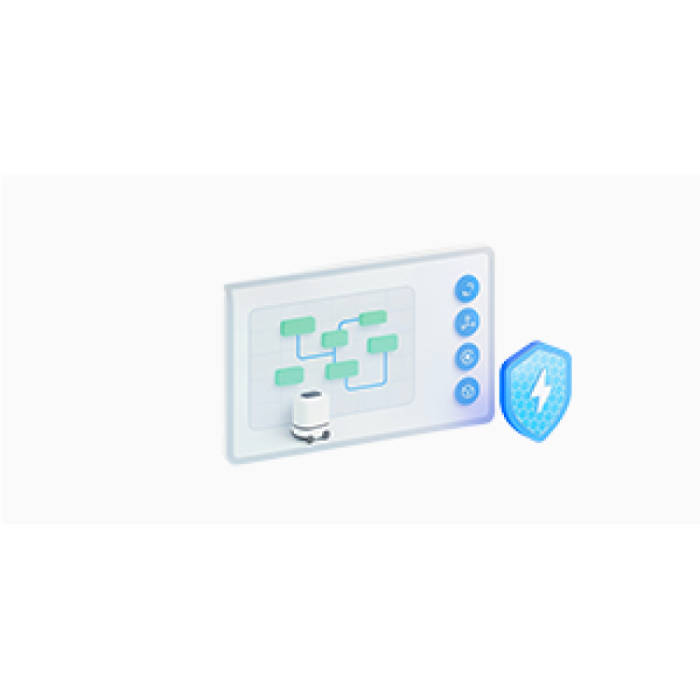
The tool enables rapid map creation, route planning and station configuration for AGV and AMR operating areas. Paths, waypoints, no-go zones and traffic rules are set up through a visual interface, so the person planning the layout works on a picture of the site instead of a list of coordinates.
Two further capabilities shape how it is used. The first is multi-navigation map management, which covers Laser SLAM, QR code and hybrid maps. The second is simulation-based verification, which helps validate feasibility before deployment. Together they shorten commissioning time and give a site more flexibility when its factory layout changes.
Technical Specifications
| Specification | Value |
|---|---|
| Product type | Fundamental tool within IMRS for map creation, route planning and station configuration for AGV/AMR operating areas |
| Visual setup | Paths, waypoints, no-go zones and traffic rules through a visual interface |
| Navigation map types | Laser SLAM, QR code and hybrid maps |
| Visual editing tools | Draw and adjust routes, stations and no-go zones |
| Simulation debugging | Verify path feasibility before go-live |
| Layout updates | Fast iteration for layout changes |
Specifications as published by the manufacturer; confirmed against the datasheet at quotation.
The manufacturer has not published the system requirements, the supported file formats, the licensing model, the software version, the supported languages or the number of robots that can be simulated; they are confirmed at quotation.
What makes layout planning in software different from planning on paper?
A paper plan shows where things should be. A planning tool tied to the fleet platform shows where vehicles will actually be allowed to go. Because the routes, stations and no-go zones are drawn in the same environment that defines the map, the plan is not a separate document that someone must translate later.
The visual interface is the practical gain. Drawing and adjusting routes, stations and no-go zones is quicker than editing data by hand, and the person who knows the floor best, often an operations or logistics engineer, can take part directly. Traffic rules sit alongside the geometry, so right-of-way and restricted areas are part of the layout from the start.
The second gain is the range of map types. Sites differ: one aisle may rely on laser SLAM, another on QR code markers, another on a mix. Because the tool manages Laser SLAM, QR code and hybrid maps, a single planning environment can cover areas that are navigated in different ways.
Why verify a layout in simulation before go-live?
Commissioning is where unplanned problems become expensive: a route that cannot be driven, a station that blocks a lane, a zone that was forgotten. Simulation-based verification moves that discovery to the screen. It helps validate feasibility before deployment and shortens commissioning time.
Layouts also change. Racks move, lines are reorganized, a new work cell appears. The tool supports fast iteration for layout changes, so a revised plan can be drawn and checked again instead of being patched on the floor. For a plant that reconfigures often, that flexibility is the reason to plan in software at all.
Behind the tool sits a platform capable of large-scale, hybrid scheduling for up to thousands of units, offering an integrated solution for material storage and distribution at the plant and workshop levels. A layout drawn here is therefore meant to feed a scheduling system built for growth, not only for a small pilot.
Who is SIASUN Mobile Robot Layout Planner Tools for?
Integrators and project engineers who commission AGV or AMR fleets are the first audience. They gain a faster way to build maps, define routes and stations, and prove the design before vehicles are installed.
Plant and warehouse operators who already run mobile robots are the second. When a layout changes, they can adjust routes, stations and no-go zones and verify the result without waiting for a full re-commissioning.
Teams that want to see the wider platform will also find neighbors worth reading about. The SIASUN Mobile Robot Digital Twin System and the SIASUN Mobile Robot Statistical Analysis System are separate products on this site, and the SIASUN Mobile Robot Logistics Warehouse System covers the warehouse side. Anyone comparing vehicles can start from the Mobile Robots or Logistics Robots categories.
What is SIASUN Mobile Robot Layout Planner Tools used for?
- Creating maps quickly. Build the map of an AGV or AMR operating area as the base for every route that follows.
- Planning routes and waypoints. Draw paths and waypoints through the visual interface and adjust them as the plan develops.
- Configuring stations. Place and edit the stations where vehicles load, unload or wait.
- Fencing off no-go zones. Mark areas that vehicles must not enter and set the traffic rules that govern shared lanes.
- Managing several navigation maps. Handle Laser SLAM, QR code and hybrid maps within one planning environment.
- Verifying before go-live. Use simulation debugging to check path feasibility, then iterate when the factory layout changes.
Pricing and Availability
This product is sold by quotation, and no prices are shown on the page. Send a request with a short description of your site and the navigation approach you use, and the quotation will address the open points above. Delivery, customs and support are arranged together with the quotation. The SIASUN Mobile Robot Layout Planner Tools (Mobile Robot Layout Planner Tools) is available on this page.
Frequently Asked Questions
What is the SIASUN Mobile Robot Layout Planner Tools?
It is a fundamental tool within IMRS for rapid map creation, route planning and station configuration in AGV and AMR operating areas. The version covered here is the IMRS 2.0 Software Platform tool.
Which navigation maps does it manage?
It manages Laser SLAM, QR code and hybrid maps. Multi-navigation map management is one of its capabilities.
Can I set up no-go zones and traffic rules?
Yes. Paths, waypoints, no-go zones and traffic rules are set up through a visual interface, and routes, stations and no-go zones can be drawn and adjusted.
Can I test a layout before the robots arrive?
Yes. Simulation debugging is used to verify path feasibility before go-live, which helps validate the design before deployment.
What happens when my factory layout changes?
The tool supports fast iteration for layout changes. You can revise the plan and verify it again, which improves flexibility and shortens commissioning time.
What are the system requirements and licensing terms?
These are not published. They are settled in the quotation, together with file formats, languages and the software version.
Where can I buy SIASUN Mobile Robot Layout Planner Tools and what does it cost?
It is available through this page, by quotation. No price is listed here; request a quotation and the cost is given with the agreed configuration.
Summary
A layout is only a promise until it has been tested, and this tool is where that testing happens. It lets a team draw routes, stations and no-go zones visually, manage Laser SLAM, QR code and hybrid maps, and check path feasibility on screen before go-live, inside a platform built for scheduling up to thousands of units. Some details, such as system requirements and licensing, are settled in the quotation. If you are planning an AGV or AMR deployment, or reworking an existing one, this page is the starting point.